Last spring a client called us on a Monday morning, a bit confused. Their security stack had been quiet all weekend. No lookalike domains, no leaked passwords, nothing on the forums they pay to watch. And yet by Sunday night a story that their app was "selling user data to a foreign government" had been shared by roughly four hundred accounts, most of them less than a month old, and two regional news sites had already run it as a question headline.
So the tools worked. They did the job they were bought for. Nobody had asked them to watch the place where the attack actually happened.
Calls like that reach us every few weeks now, from a bank one month and a pharma company the next, and the blind spot is always in the same place. What follows is roughly how our analysts work the outside-the-firewall picture. Domains and leaks, sure. Plus the part most guides skip, which is the stories people tell about you. We'll also get into triage at 3 a.m. and the way we set thresholds so a coordinated push doesn't just blend into normal chatter.
What Is Digital Risk Monitoring?
Digital risk monitoring is the ongoing job of watching the internet beyond your own network for anything that could hurt you (a lookalike domain, a fake profile of your CFO, a leaked database, a forum post, a hostile story) and raising a flag while there's still time to do something. Think of it as early warning for all the stuff you don't own.
Your SIEM looks at logs from servers and laptops you control. This looks somewhere else entirely. Social platforms, Telegram channels, code repos, paste sites, the odd forum where access to your VPN is being sold for a few hundred dollars. Places where you have zero control and attackers get to rehearse in public.
People sometimes confuse it with a digital risk assessment, which is fair, they sound alike. But an assessment is a photo taken on one day. Monitoring leaves the camera on. A phishing domain someone registers at 2 a.m. on a Saturday couldn't care less that your next audit is in March.
Digital Risk Monitoring vs. Digital Risk Protection vs. Threat Monitoring
Monitoring spots the external risks and decides which ones matter most. Protection is what you then do about them, like takedowns or getting fake accounts removed. Threat monitoring is a separate thing again and watches your own systems for attacks that are already underway.
| Discipline | Core question | Typical signals | Output |
| Digital risk monitoring | What is forming about us outside our perimeter? | Lookalike domains, fake profiles, leaked credentials, narrative spikes, bot activity | Ranked alerts with context |
| Digital risk protection | How do we shut it down? | Same as above, plus takedown and remediation status | Removed domains and accounts, closed exposures |
| Threat monitoring | Is someone attacking our systems right now? | Logs, endpoint telemetry, network traffic | SOC incidents and containment |
| Attack surface monitoring | Which of our assets are exposed? | Forgotten subdomains, open ports, expired certificates | Asset inventory and patch list |
If it helps, picture a building. Monitoring is the camera on the street, protection is the guard who walks out and deals with whatever the camera saw, and threat monitoring is the alarm on the inside doors. Lots of companies only have that inside alarm, so everything in the first row reaches them through a customer complaint or a reporter's email. We wrote more about turning these signals into actual decisions in our piece on digital threat intelligence.
What Digital Risk Monitoring Covers
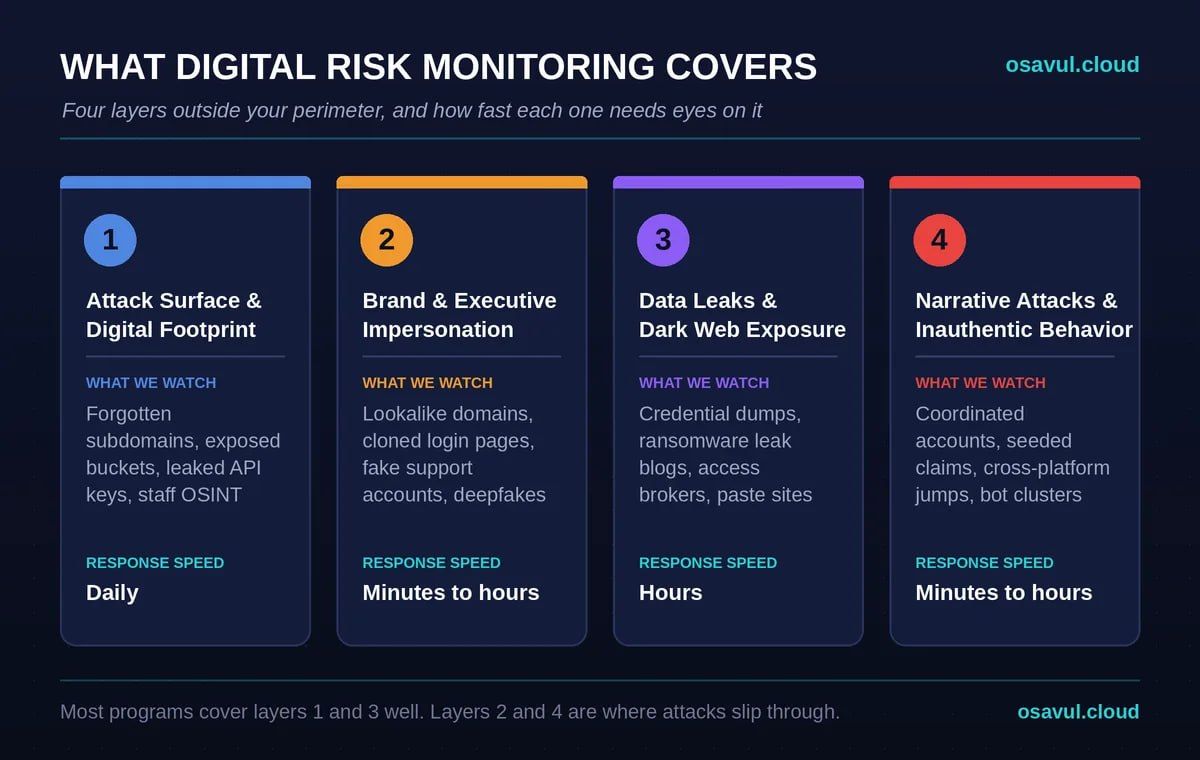
There are four layers to cover, in our experience. Your attack surface and digital footprint, people impersonating your brand or your executives, data that's leaked, and narratives. Most teams we audit do the first and third pretty well and check the other two whenever somebody remembers to.
Attack Surface and Digital Footprint
Attack surface monitoring keeps track of every internet-facing asset you own, and the uncomfortable part is how many of those nobody inside remembers owning. We've found staging subdomains still serving old builds, a microsite from some 2021 campaign, and once an S3 bucket a contractor opened and then simply forgot about.
Digital footprint monitoring casts a slightly wider net and looks at what your people leak without meaning to. Conference slides naming internal tools. A commit on GitHub with an API key in it. Forty LinkedIn profiles that, put side by side, draw your org chart for anyone planning a phishing run. Not a breach, none of it. It's reconnaissance material though, the stuff MITRE lists under Gather Victim Org Information (T1591).
Brand and Executive Impersonation
This one's about people pretending to be you. Typosquatted domains. Cloned login pages. A fake "support" account on X that somehow replies to your customers quicker than your real team. And lately, deepfake clips of a CEO promising a crypto giveaway he never heard of.
Speed matters more in this layer than in any other. A phishing kit sitting on a brand-new lookalike domain has usually burned through most of its victims within a day or two. Check weekly and you're basically reading the autopsy. The small mercy is that crooks are lazy. The fake accounts behind these schemes get recycled again and again, and pulling one thread tends to unravel a dozen of its cousins.
Data Leaks and Dark Web Exposure
This layer is about your data turning up where it shouldn't. Think credential dumps on paste sites, a ransomware gang's leak blog, or a broker on some forum quietly offering a way into your network.
We keep bumping into the same pattern, by the way. The leak is two years old, everyone already rotated the passwords, but someone reposts it with a fresh caption, "NEW breach at Company X," and it travels faster than any correction can. At that moment it's no longer a data problem. It has become a narrative one.
Narrative Attacks and Coordinated Inauthentic Behavior
Narrative monitoring follows the hostile stories told about your organization and, more to the point, who's pushing them and how. One furious customer thread is a customer service issue. Three hundred accounts born in the same week, posting the same claim in four languages inside ten minutes? That's an operation, and somebody paid for it.
Most programs skip this layer. It doesn't fit a SOC ticket, and threat feeds won't show it since there's no IP or hash to match. Yet in our tracking across Eastern Europe the narrative pressure often shows up first, sometimes weeks before anyone tries anything technical.
How Real-Time Digital Risk Monitoring Works
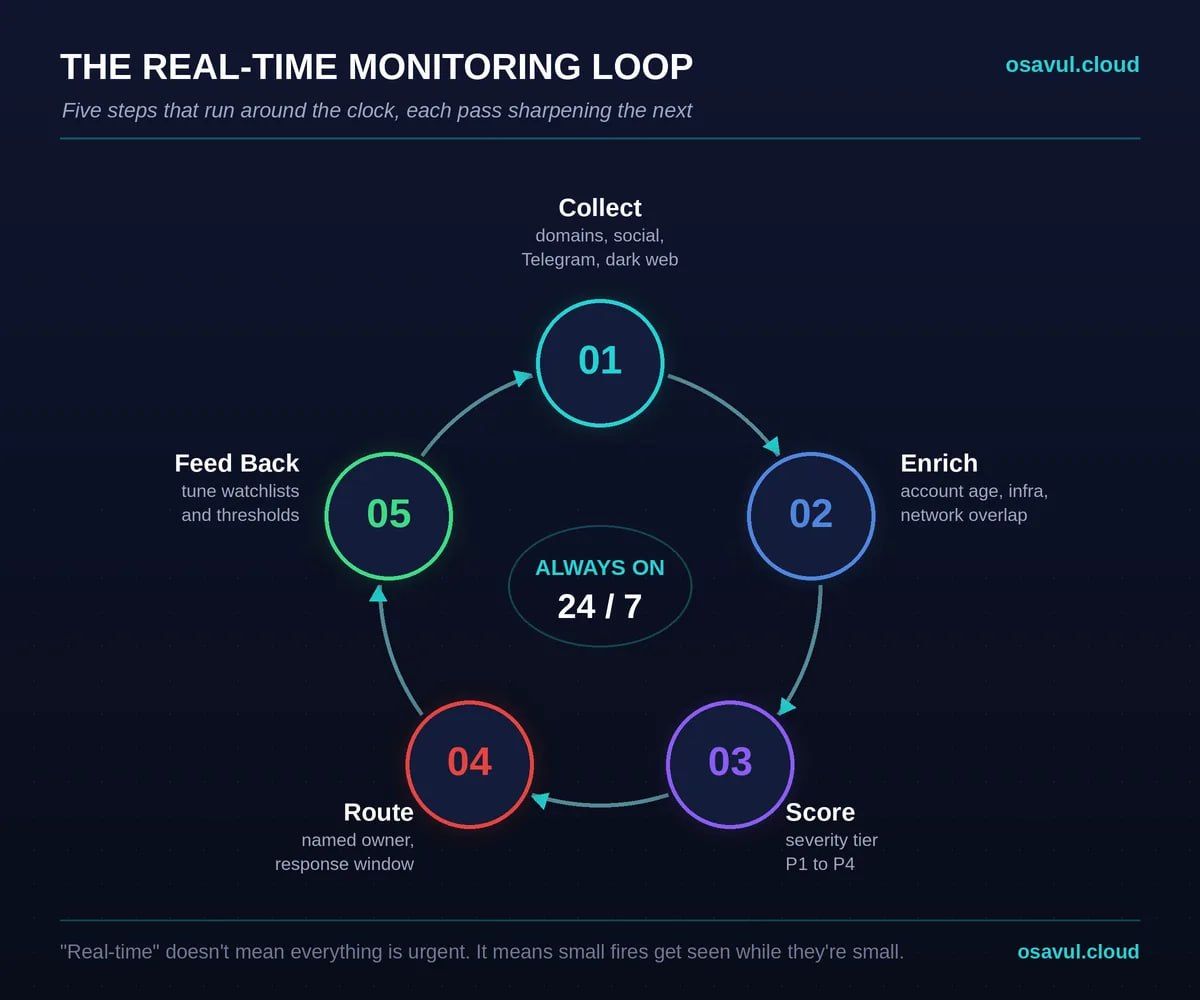
Real-time digital risk monitoring is a loop, and it doesn't stop on weekends. Something gets picked up, gets checked against what we already know, gets a score, and goes to whoever owns that kind of problem. What they find out goes back into the watchlist. People hear "real-time" and picture a war room with sirens. It's much duller than that, which is sort of the point: small fires get noticed while they're small.
Source Coverage
You only see what you point the thing at, which is why we always start with sources. A typical list for our clients looks like this: domain registrations and certificate transparency logs, the big social networks, Telegram plus whichever messengers are popular locally, news and blog aggregators, GitHub and its cousins, paste sites, and a handful of dark web forums picked for the sector.
Gaps here make no noise. If Telegram isn't in scope, a campaign running there just doesn't exist as far as your team knows. We've seen companies learn about that blind spot from a journalist asking for comment, which is about the worst way to learn it.
Signal Detection and Enrichment
Detection hands you a match. Enrichment is what tells you if you should care. A new domain containing your brand name is a match, nothing more. Now give that same domain an MX record and a TLS certificate issued an hour ago, plus a login page copied pixel for pixel from your portal. That's a threat.
On the social side we look at how old the accounts are, when and how often they post, whether they overlap with clusters we've already mapped, even odd quirks in the language.
Triage and Risk Scoring
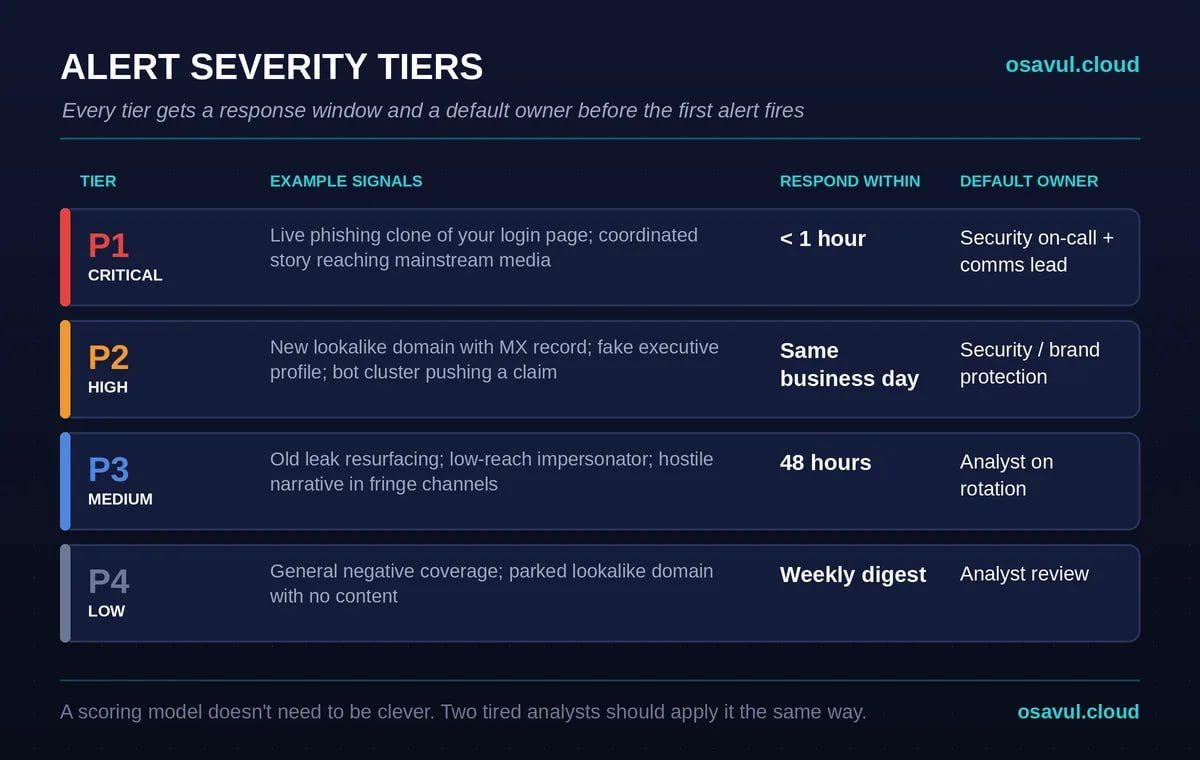
Triage drops each alert into a severity tier, based on how bad it could get and how close it seems to happening. Nobody needs a clever scoring model here, quite the opposite. You need one that two tired analysts would apply the same way at midnight.
Severity Tiers
Four tiers works for most teams we've set this up with. Each one gets a response window and a default owner, which kills the "wait, whose job is this?" conversation before it starts.
| Tier | Example signals | Respond within | Default owner |
| P1 Critical | Live phishing clone of your login page; coordinated story reaching mainstream media; valid credentials for sale | Under 1 hour | Security on-call + comms lead |
| P2 High | New lookalike domain with MX record; fake executive profile; bot cluster pushing a claim | Same business day | Security / brand protection |
| P3 Medium | Old leak resurfacing; low-reach impersonator; hostile narrative in fringe channels | 48 hours | Analyst on rotation |
| P4 Low | General negative coverage; parked lookalike domain with no content | Weekly digest | Analyst review |
Why Most Monitoring Programs Miss Narrative Risk
Because they're counting the wrong thing. Loudness, basically, and a decent influence op is never loud in week one. Alerts trigger on mention spikes. Anyone running a competent campaign knows exactly how to stay under one.
Walk through how a professional campaign usually begins. The claim gets planted in a few small channels nobody reads. It sits there for a few days to look "old" and organic. Only then do the amplifier accounts pick it up. By the time your mention count jumps, the story has screenshots, quote posts and at least one outlet that ran it, and your volume alert fires right on time, meaning too late.
Volume Spikes vs. Coordination Signals
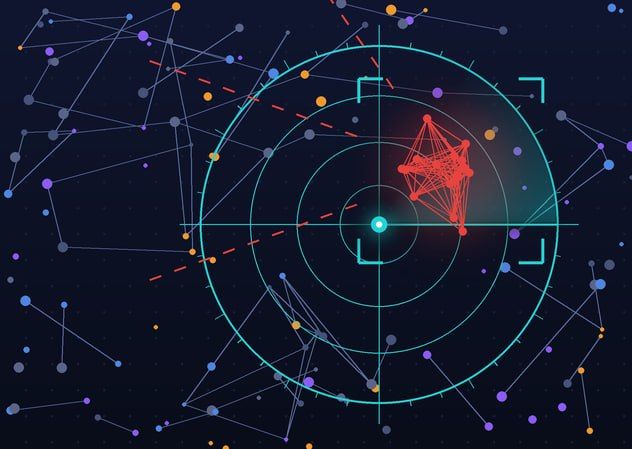
Volume says how loud something is, coordination says whether it's real. So we look at behavior. Twenty accounts posting inside the same sixty seconds. Text that's nearly word for word the same across profiles that have never interacted. A batch of brand-new profiles all using stock photos you've seen somewhere before. A story that hops from some fringe channel to the mainstream in one afternoon.
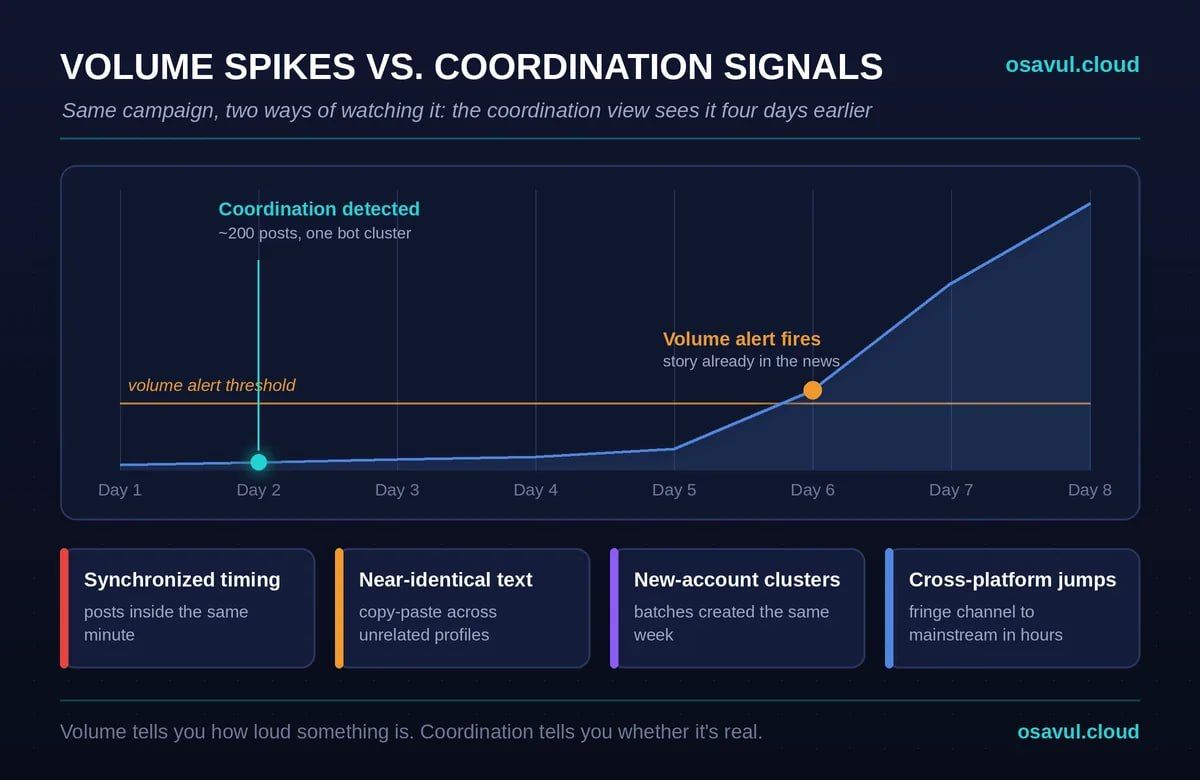
Small change on paper. On your screen it's a different world. Two thousand real complaints after an outage belong to your support team. Two hundred posts from a tight cluster of bot accounts belong to security, even though it's a tenth of the volume. That narrative-level view is what we built Osavul around, mostly because ordinary tools tend to squash this kind of signal into a sentiment score.
Not a fringe worry, either. For several years running, the World Economic Forum's Global Risks Report has put mis- and disinformation close to the top of its short-term list, and those reports aren't exactly written by alarmists.
Setting Up Digital Risk Monitoring
Step one is a quick, honest look at what you'd hate to lose. After that come watchlists, thresholds, a rhythm for responding, and a name attached to each kind of alert. Tools last.
Start With a Digital Risk Assessment
A digital risk assessment is basically a map of what you need to protect and where you're exposed today. Jot down your domains and brands, the senior people whose names get abused, your products, the markets you care about. Then go through that list wearing your most paranoid hat and ask what an attacker would love to copy, leak or smear.
One page. Seriously. A single sheet answering "what would hurt us most if it popped up online tomorrow?" beats a sixty-page asset register nobody has opened since the day it was approved. That page becomes your scope.
Watchlists, Thresholds and Cadence
Watchlists turn the assessment into actual queries. So brand names, and all the ways people (and scammers) misspell them. Executive names. Product names. Internal codenames that have no business showing up in public. Plus whatever hostile stories are already doing the rounds in your industry.
Thresholds are where a match becomes an alert, and we set them by risk, never by what's convenient for the team. A lookalike domain with a working login page alerts right away. Some blogger grumbling about your pricing? That can sit in tomorrow's digest. You'll retune a lot in the first month or two, since some rules scream all day and others never make a sound.
Who Owns the Alert
Every alert type needs a named owner before it fires for the first time. In most setups impersonation goes to security or legal for takedown, leaks go to the SOC and IT, and narrative attacks need security and comms on the same call.
The failure we see most isn't a missed detection. It's an alert three teams saw, where each team figured one of the others had it. For digital risk management to work at all, ownership has to be written down somewhere, with a backup name for weekends, because that's when these things like to land.
Metrics That Show Monitoring Works
Four numbers tell you whether it works: time to detect, time to act, the share of incidents you caught before someone outside told you, and false positives per analyst. Raw alert counts don't tell you anything about whether anyone is safer.
Time to detect runs from the moment a risk appears, a domain registered or a narrative seeded, to the moment your team notices it. Time to act runs from noticing to doing something, whether that's a takedown request, a statement or a forced password reset. Track both per tier, otherwise the easy stuff hides the slow stuff.
The number we trust most is the "found it first" rate. If customers, reporters or platforms keep beating your alerts, coverage or thresholds need work, plain and simple. Programs we've worked with typically got this above 80% within two quarters, and mostly by plugging source gaps, not by hiring. One more trick for the board deck: map these numbers onto the Detect function in NIST CSF 2.0 (DE.CM covers continuous monitoring). Leadership has usually heard of it, which saves you ten minutes of explaining.
FAQ
Is digital risk monitoring the same as digital risk protection?
No. Monitoring finds external risks and ranks them, while protection handles the fix, things like takedowns and account removals. Our guide to digital risk protection covers that response side in detail.
What sources should a monitoring program cover?
At the very least domain and certificate feeds, the main social networks, messengers like Telegram, news sites, code repositories, paste sites and whichever dark web forums are relevant to you. Where your customers spend time matters, and so does where your likely adversaries hang out, which in Eastern Europe tends to be Telegram first and everything else second.
How often should you monitor: real time or daily?
Both, and the split comes down to severity. Anything that can cost money or trust within hours (an impersonation site, a credential leak, a coordinated narrative push) needs eyes on it around the clock and an alert that wakes someone up. A trickle of grumpy reviews? Weekly digest, no harm done.
Can a small team run it without a platform?
Yes, up to a point. We've seen small brands get by on Google Alerts, a couple of saved certificate transparency searches, a breach alert service and an intern checking Telegram on Fridays. It falls apart as you grow, though, and it gives you almost nothing on coordinated behavior, because a human scrolling a feed simply can't see coordination.
How does it detect disinformation and narrative attacks?
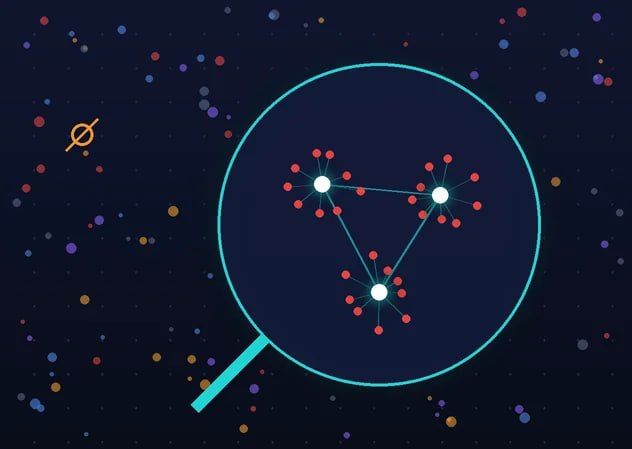
We look at behavior first, content second. A coordinated campaign leaves fingerprints. Accounts post in lockstep, reuse the same paragraph with one word swapped, come from small batches of profiles created the same week, and push a story across platforms faster than real people ever share anything. Clustering then folds thousands of those posts into four or five storylines, which is about as much as one analyst can hold in their head over a coffee.
Where to Start This Week
Take the last incident that caught your team flat-footed and work backward from it. When did the first post, domain, or paste appear? When did you find out? The gap between those two dates is your baseline. Most teams we've done this exercise with didn't love their number.
Then do three things this week. Write the one-page assessment. Add the sources the walk-back showed you were missing. Put an actual person's name next to every alert type, with a backup. It isn't exciting work, we'll admit. But it's what separates reading about an attack in the press from catching it while it's still a few hundred accounts and a rumor.